
Read. Compose. Record.
Venus is a desktop app for anyone who needs to speak to camera with confidence: your script runs like a real teleprompter, your image is composited (background + adjustments), and your recording comes out ready—without a messy editing workflow.
What it does
Venus combines a real teleprompter with a compositing pipeline: you read on-camera while Venus applies the selected background and subtle face adjustments, then records the result.
You choose the right mode per job: LIVE for real-time compositing (instant preview), or OFFLINE to record first and export a final render later (best for quality and consistency).
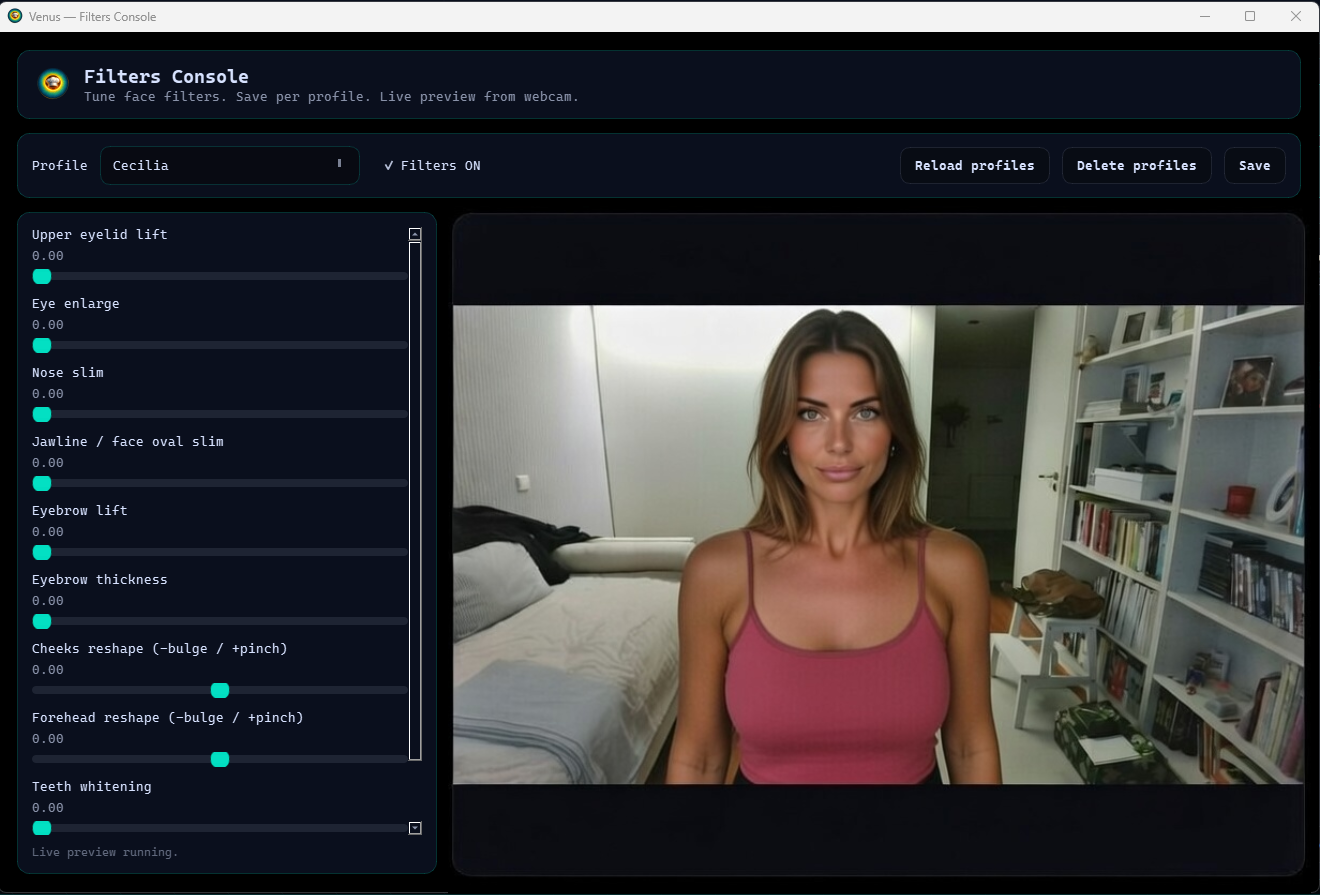
Profiles (with auto-match) let you load your saved setup fast: background preferences, segmentation mode, and face filters that refine details without a “plastic face” look.
Core features
Teleprompter: read like it should work
- Load a script and read it like a real teleprompter.
- Speed control, play/pause, and quick reset.
- Designed to keep eye-line stable and reduce retakes.
- Less improvisation, more repeatable delivery.
Modes: LIVE and OFFLINE
- LIVE: real-time compositing with instant preview.
- OFFLINE: record first, then render final output later.
- OFFLINE is best when you want consistency across takes.
- Record now, export when you are ready.
Background replacement: AI matting or green screen
- Replace the background with a video or image.
- Choose segmentation mode based on setup and machine:
- AI matting: best when no green screen is available.
- Green screen: chroma key for controlled setups.
Profiles, face filters, and output
- Profiles with auto-match to avoid reconfiguring every session.
- Subtle face filters saved per profile (no “plastic face” look).
- Gesture control (when enabled): less keyboard, smoother flow.
- On Windows: publish as a virtual webcam for other apps.
Real limitations
Gesture control depends on conditions
- Lighting and webcam quality affect tracking stability.
- Motion blur and cluttered backgrounds increase mis-detections.
- Deliberate, distinct gestures reduce false triggers.
Background quality depends on setup
- AI matting depends on lighting, motion, and camera noise.
- Green screen depends on even lighting and clean separation.
- Expect trade-offs: speed vs quality, especially on weaker hardware.
OFFLINE render costs time and compute
- Higher quality usually means slower export.
- Hardware performance directly impacts rendering speed.
- Plan for longer renders if you stack heavier effects.
Scope stays focused
- Venus is a teleprompter + compositing + recording tool.
- Not a general-purpose video editor.
- It avoids feature bloat to keep the workflow fast and predictable.